Home / Transitions & Visual Effects
Match Cut Examples: Action and Graphic Cuts That Connect Shots Through Movement and Shape
Film editing builds meaning by joining images, and few transitions do that as elegantly as the match cut. In its strongest form, a match cut links two shots through a shared movement or a similar shape, so the cut itself carries the story forward. When it works, the audience feels a seamless leap in time, place, or point of view without losing the thread of action. This article analyzes graphic and action match cuts that connect shots through movement or shape, using practical examples and clear editing strategies you can apply immediately.
A match cut is a transition that uses visual similarity to bridge two different shots. In an action match, the motion in one shot continues or echoes in the next. In a graphic match, the form, color, composition, or texture of one image aligns with another. Both types rely on precise timing and camera placement, and both can be planned in preproduction or discovered in the edit. The goal is continuity of attention: the cut guides the eye to the same point or pattern, so the viewer’s brain completes the connection without effort.
How action match cuts use movement to carry the story
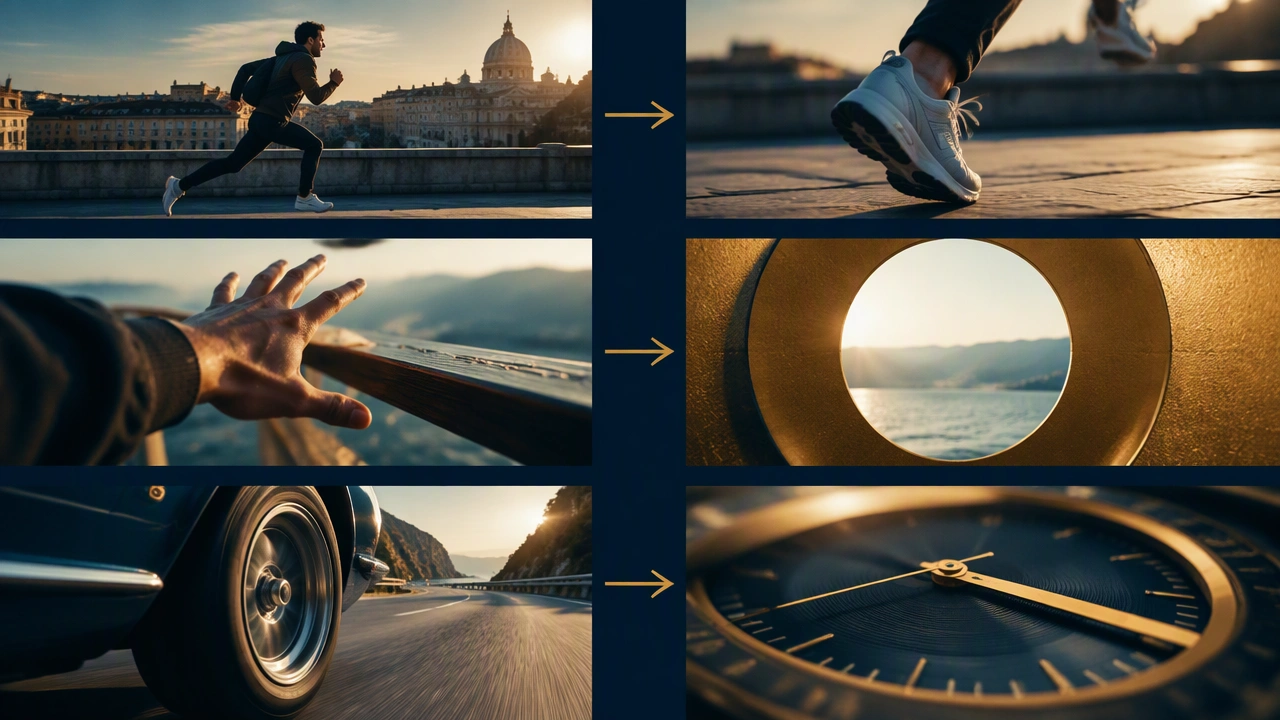
Action match cuts exploit motion continuity. The key is to preserve direction, speed, and screen position so the cut feels like a single gesture spanning two settings. A character reaches across a table in one shot, and the next shot begins with a hand finishing that reach in a new location. A car accelerates forward, and the cut lands on a train bursting into frame along the same vector. The eye follows the motion, so the cut reads as a natural leap rather than a break.
- Preserve direction and speed: If the arm moves left to right in shot A, the incoming shot should continue left to right at a similar pace.
- Hold the center of interest: Keep the moving subject near the same screen position across the cut.
- Match the beat: Cut on the peak of motion or just after the moment of commitment, not at the slowest point.
- Use sound to bridge: A single sound cue can tie two shots together and make the motion feel continuous.
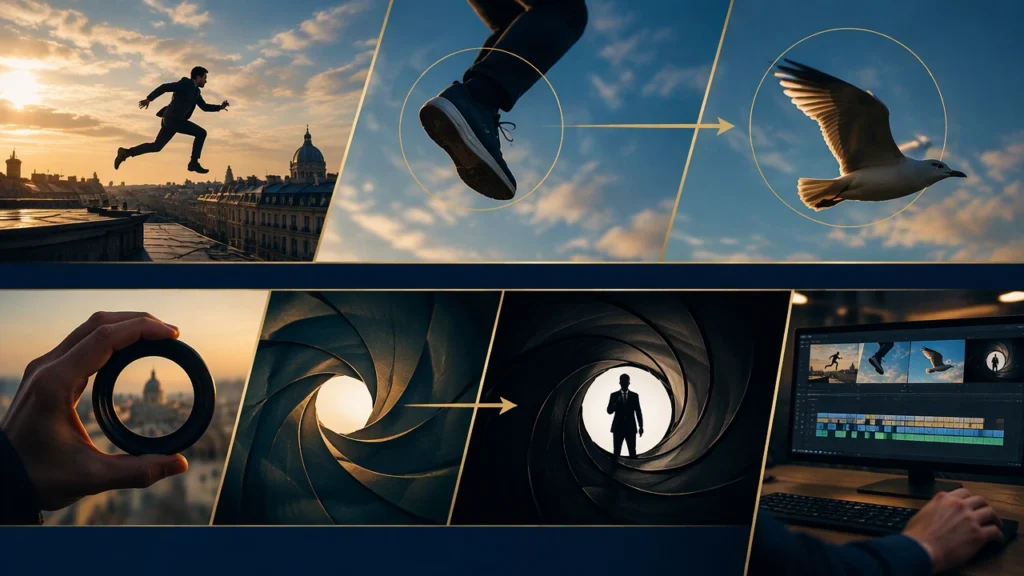
A classic approach is the throw-and-catch across scenes. A character tosses an object, and the next shot starts with the same object arriving in a different space. The cut compresses time while keeping the gesture whole. Directors often plan these moments on set by marking the exact start and end positions for the object and by locking camera height and angle so the motion vector stays consistent. In the edit, trim frames so the cut lands in motion, not after it. A few frames too late and the energy drops; a few frames too early and the gesture feels incomplete.
How graphic match cuts connect shots through shape and composition
Graphic matches rely on visual rhyme. Two different subjects share a similar form, color, or composition, and the cut invites the viewer to compare them. A round plate dissolves into a planet. A close-up of an eye becomes a lake seen from above. A spinning fan cuts to a helicopter rotor. The power of a graphic match is metaphor: it suggests a relationship between images without spelling it out.
- Align shapes: Circle to circle, line to line, triangle to triangle. The stronger the shape echo, the cleaner the cut.
- Maintain screen position: Place the matching element in the same part of the frame in both shots.
- Control contrast and texture: Similar brightness and surface detail help the cut feel intentional rather than accidental.
- Consider color: Warm-to-warm or cool-to-cool transitions reinforce the visual link.
Graphic matches can be created in camera or in post. In camera, you plan lens choice, distance, and framing so the shapes line up naturally. In post, you can reframe, scale, or rotate to improve alignment. A gentle cross-dissolve can soften the cut when the shapes are similar but not identical, while a hard cut works best when the match is precise and the motion or composition sells the link on its own.
Planning, shooting, and editing match cuts
The best match cut examples action and graphic start before the edit. On set, mark screen positions with tape, measure camera height, and lock focal length when possible. Shoot a reference frame of the first shot on a monitor so the second setup can be framed to match. Keep the background simple if the shape is the story; busy backgrounds can distract from the intended rhyme.
In the timeline, work backward from the moment you want the audience to feel. If the cut should feel like a single motion, trim to the fastest part of the move and avoid lingering before or after. If the cut should feel like a visual rhyme, hold the incoming shot long enough for the viewer to recognize the shape, then let the scene continue. Watch the cut at real speed and in context; a match that looks perfect frame-by-frame can still feel wrong if the rhythm of the scene is off.
Common pitfalls and how to avoid them
Match cuts fail when the connection is unclear or when the motion breaks. If the direction flips, the eye has to search the frame. If the shape is only vaguely similar, the cut looks like a mistake. If the story does not support the transition, the audience may be confused rather than engaged.
- Test the cut without effects: A strong match works as a hard cut. Add dissolves or sound only if they improve clarity.
- Limit competing motion: Extra movement in the frame can overpower the intended vector.
- Match the lens feel: Wide lenses distort shape differently than telephoto lenses, which can weaken a graphic link.
- Use restraint: One well-placed match cut can define a sequence; five in a row can feel gimmicky.
Why match cuts remain a core editing tool
Match cut examples action and graphic endure because they solve a basic editing problem with elegance: how to move between shots while keeping the viewer oriented. Action matches carry momentum. Graphic matches carry meaning. When the movement or shape tells part of the story, the cut becomes more than a technical bridge. It becomes a narrative device that compresses time, links ideas, and guides attention without dialogue. Plan them carefully, shoot with intention, and edit for rhythm, and the cuts will feel invisible even as they do significant work.